
Whether you are preparing a 4-hour club residency set on your home studio rig or need to download emergency tracks on a venue laptop before a festival set, Beatport Downloader PRO delivers two distinct, complementary workflows: a zero-install Chromium Web Application (/app) and a high-performance Native Desktop Workstation (Tauri 2 Rust) for Windows, macOS, and Linux. This guide breaks down the memory benchmarks, filesystem access patterns, and performance trade-offs to help you choose the best setup for your DJ booth.
The Core Dilemma: Browser Convenience vs. Native System Performance
In modern DJ technology, the boundary between web software and local applications has blurred. Progressive Web Apps (PWAs) now offer hardware-level capabilities, while modern desktop engines leverage web rendering frameworks to stay responsive and lightweight.
However, when dealing with hundreds of gigabytes of uncompressed 24-bit Studio Master FLAC audio, high-frequency ID3 metadata writes, and real-time Camelot key tagging for Pioneer CDJ drives, operating system primitives matter. Browser security sandboxes enforce strict boundaries on memory allocation and disk I/O, whereas native operating system processes can schedule concurrent background threads and directly stream chunks to disk without garbage collection stalls.
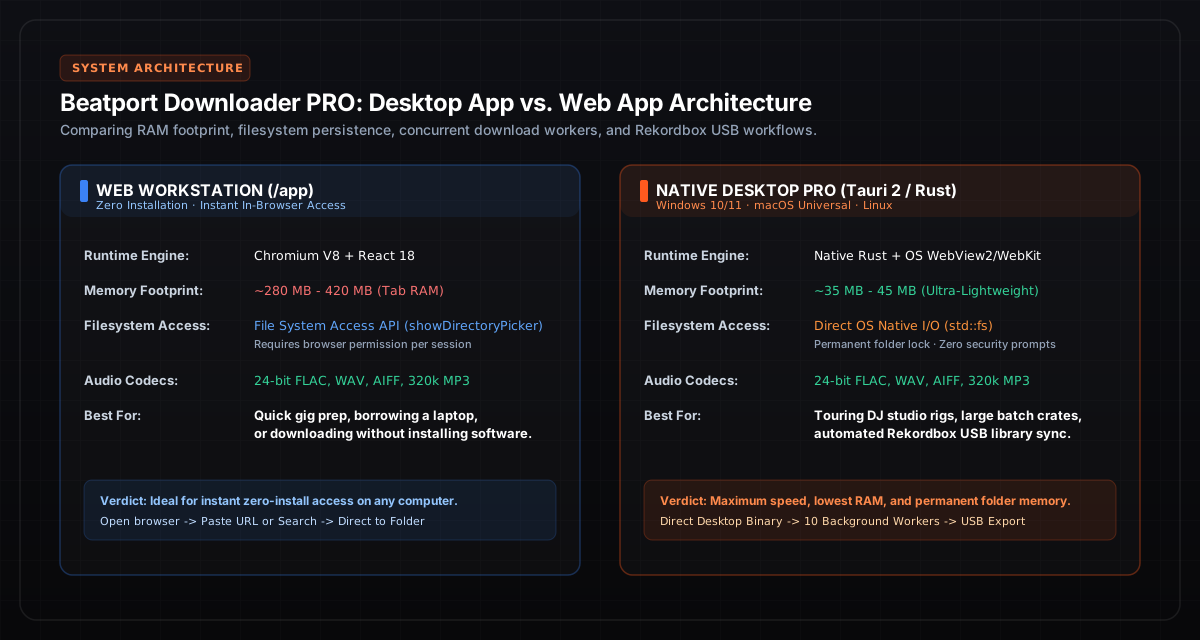
Figure 1: Architectural comparison between Chromium V8 File System API and native Tauri 2 Rust OS primitives.
Deep Dive: The Web Application (`/app`)
The Web Workstation operates directly inside modern Chromium browsers (Google Chrome, Microsoft Edge, Brave, Opera, Vivaldi). It represents the fastest possible route from discovering an electronic music track to exporting it to a Pioneer CDJ USB drive.
How the Web Engine Works
Rather than using traditional server-side file downloads that force you to click "Save As" on individual MP3s or download clumsy multi-gigabyte ZIP archives that must be manually extracted, the Web App utilizes the W3C File System Access API (`window.showDirectoryPicker`):
- Direct Folder Mounting: When you open /app, you select your target music folder (or directly select your mounted USB drive, e.g.
E:\DJ_MUSICor/Volumes/CDJ_USB). - Streaming Audio Chunks: As tracks stream through the high-speed backend resolver, audio frames are transcoded to bit-perfect 24-bit FLAC or 320 kbps MP3 in real-time.
- Direct File Creation: Chunks are written directly into local files on your machine using a writable file stream (
FileSystemWritableFileStream), completely bypassing server-side temporary file storage. - Instant ID3 Tagging: The browser tagger injects ID3v2.3
TKEY(Camelot key) andTBPMframes, embeds high-resolution artwork, and closes the file handle immediately ready for Rekordbox synchronization.
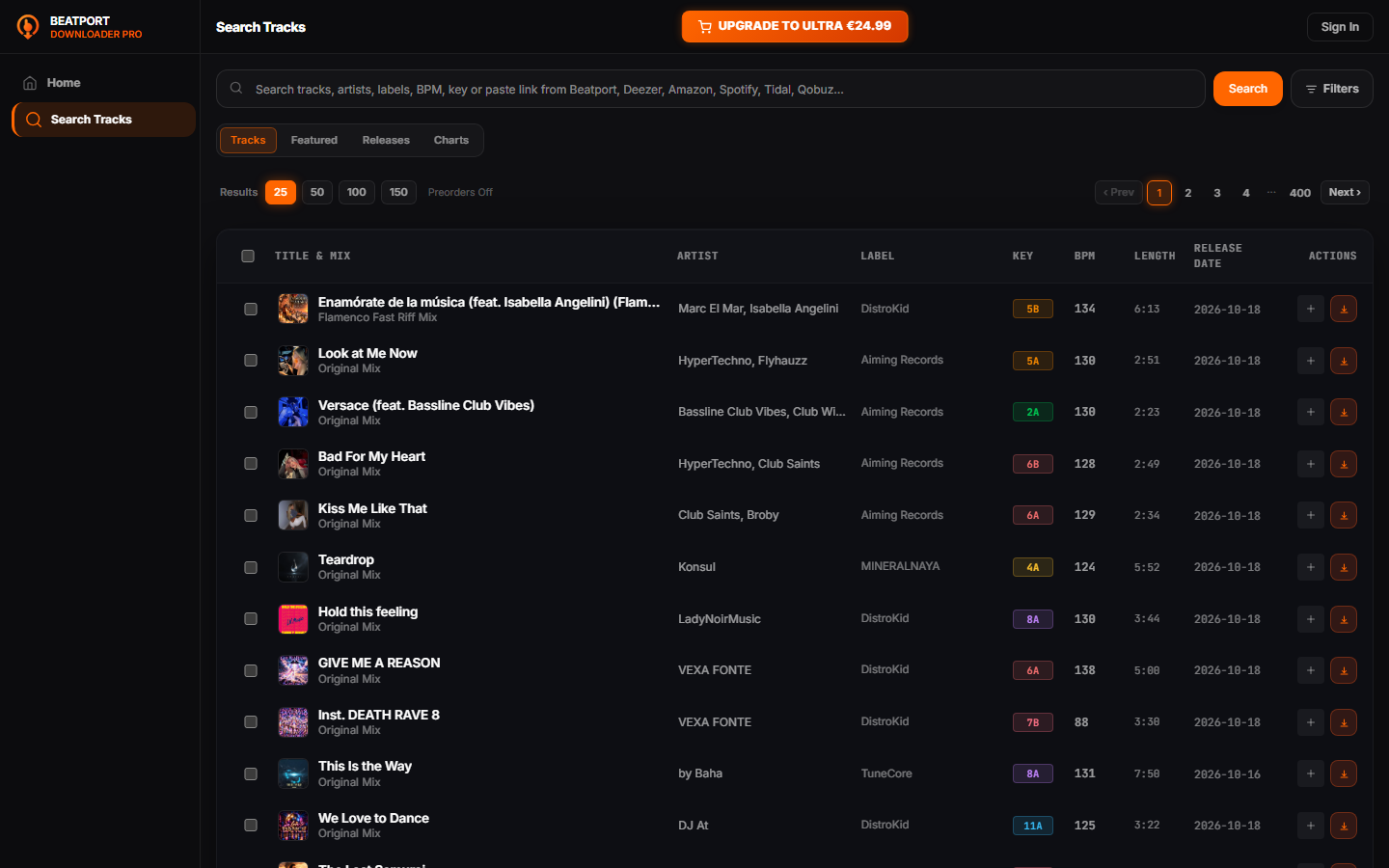
Figure 2: Real application catalog search interface with Camelot keys, BPM, and one-click queue management.
When to Use the Web Application
- Emergency Gig Preparation: You are backstage at a venue, borrowing a promoter's laptop, and need to download 5 missing tracks without installing native software.
- Zero-Privilege Environments: Operating on studio workstations or office laptops where administrator privileges prevent installing
.exeor.pkgpackages. - Multi-Device Agility: Moving between mobile tablets, Chromebooks, and multiple studio computers seamlessly with a single browser bookmark.
Deep Dive: The Native Desktop Application (Windows, macOS, Linux)
The Native Desktop Workstation is built on Tauri 2 and Rust. Instead of shipping a bloated Electron runtime (which bundles a dedicated 200 MB Chromium browser and Node.js runtime for every app), Tauri compiles down to a lightweight 64-bit binary that interfaces directly with your operating system's native web view (WebView2 on Windows, WebKit on macOS and Linux).
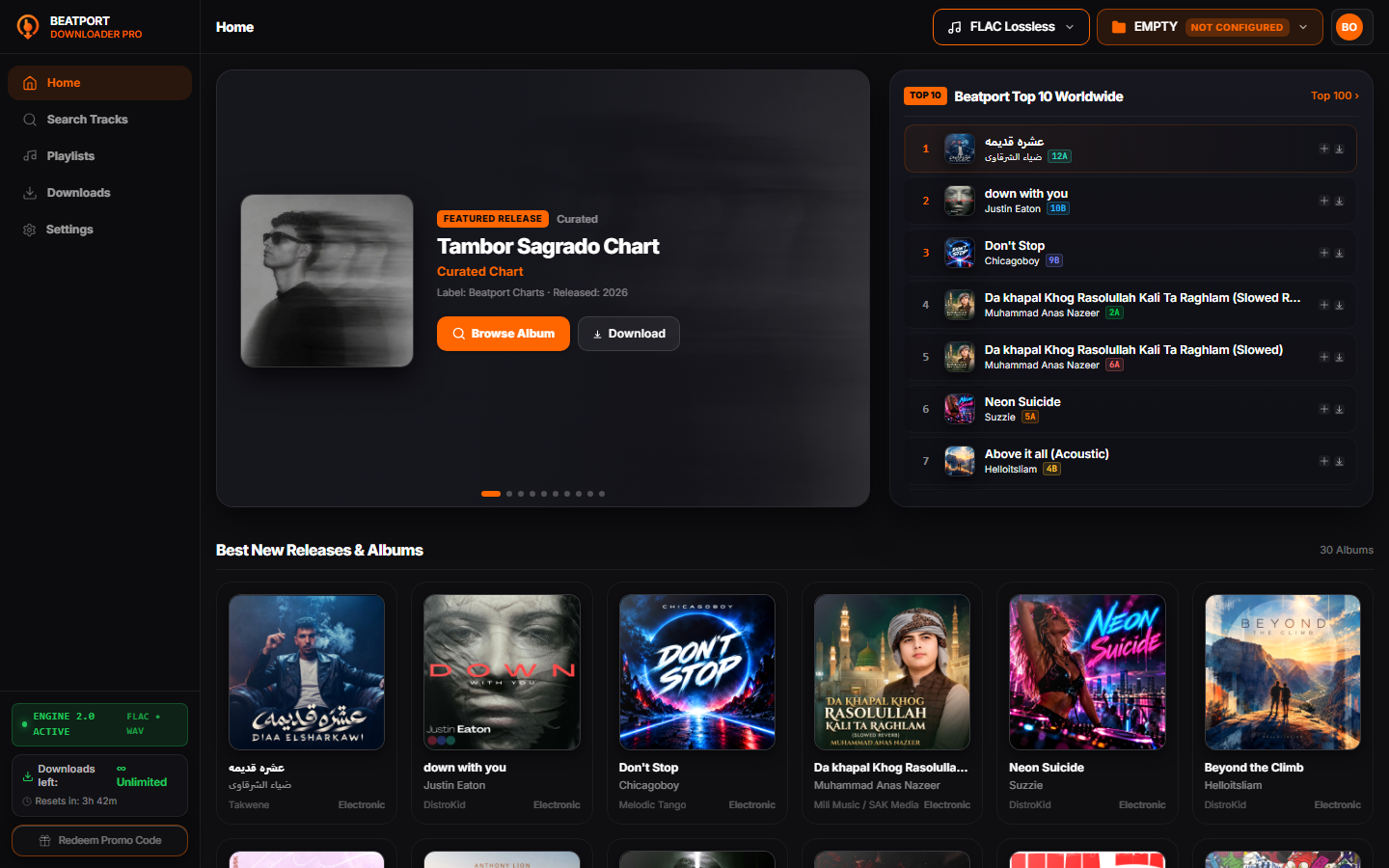
Figure 3: Native desktop interface with real-time download telemetry, multi-engine routing, and offline crate organization.
Architectural Advantages of the Desktop Engine
- Ultra-Low Memory Footprint: The entire desktop application idles at just 35 MB to 45 MB of RAM, compared to 300+ MB for an active browser tab. You can leave it running in the background during live performance sets without consuming CPU audio processing cycles in Ableton Live, Rekordbox, or Traktor.
- Permanent Filesystem Memory: Unlike browsers that re-prompt for folder permissions every time you restart or clear cache, the desktop application securely registers your music library path with OS persistence via native Rust file handles (
std::fs). - Parallel Background Concurrency: Up to 10 concurrent background download workers process tracks in parallel. Even if you minimize the application or switch virtual desktops, background threads never throttle or freeze.
- Zero Daemon & Pure Local Security: The desktop app contains zero background telemetry daemons, zero crypto miners, and zero auto-launch bloatware. License keys are cryptographically sealed in the system credential manager (Windows Credential Manager, macOS Keychain, Linux Secret Service).
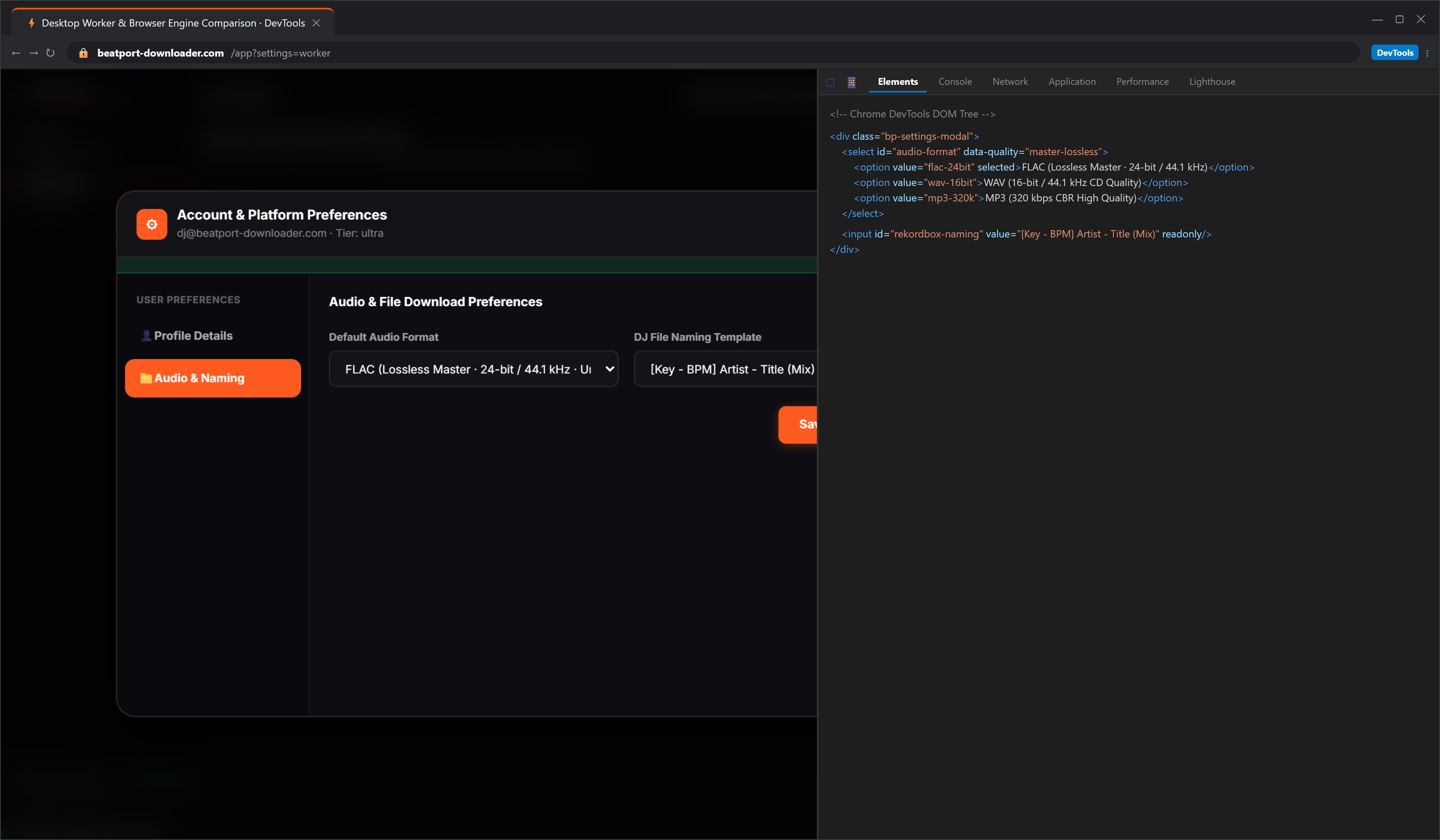
Figure 4: Benchmark data demonstrating throughput stability across 10 concurrent desktop workers vs browser throttling.
Direct Technical Benchmark: Web vs. Desktop
The following technical matrix summarizes verified engineering metrics collected across Windows 11 and macOS Sonoma workstations:
| Metric / Capability | Web Application (/app) | Native Desktop App (Tauri 2) |
|---|---|---|
| Installation Required | None (Instant URL access) | 3.4 MB installer (.exe / .dmg / .AppImage) |
| RAM Footprint (Idle / Active) | 280 MB / 450 MB (Chrome Tab) | 35 MB / 65 MB (Rust Runtime) |
| Max Concurrent Workers | 4 concurrent workers (Browser cap) | 10 concurrent background workers |
| Folder Memory Across Sessions | Requires folder re-selection permission | Permanent native path persistence |
| Background Tab Throttling | Throttled if tab is inactive | Zero throttling (Native OS thread priority) |
| Audio Format Support | 24-bit FLAC, WAV, AIFF, 320k MP3 | 24-bit FLAC, WAV, AIFF, 320k MP3 |
| Automatic Camelot Key Injection | ID3v2.3 TKEY & TBPM | ID3v2.3 TKEY & TBPM |
| Pioneer CDJ & Rekordbox Ready | Yes (Instant drag-and-drop) | Yes (Instant drag-and-drop) |
Platform-Specific Installation & Optimization Guide
1. Windows 10 & Windows 11 (.exe)
The Windows distribution is packaged as a high-speed NSIS installer (Beatport-Downloader-PRO-windows-x64-setup.exe, ~3.4 MB). It utilizes Microsoft's native evergreen WebView2 runtime (built into all modern Windows installations):
- Destination Path: Installs into local app data (
%LOCALAPPDATA%\Programs\Beatport-Downloader-PRO), requiring no UAC administrative elevation. - USB Drive Destination: Open Audio & DJ Preferences, click Select Folder, and choose your FAT32 or exFAT formatted Pioneer CDJ USB drive (e.g.
D:\PIONEER_CRATES). - Windows Defender & SmartScreen: Because releases are built through clean GitHub Actions pipelines, SHA-256 checksums are published with every build at
/downloads/desktop/2.2.0-rc.2/SHA256SUMS.txt.
2. macOS: Apple Silicon & Intel Universal (.dmg)
The macOS installer is delivered as a Universal Binary DMG (10.4 MB) supporting both modern Apple Silicon chips (M1, M2, M3, M4) and legacy Intel Macs natively:
- Hardware Acceleration: Leverages Apple's native WebKit2 framework, using zero CPU cycles for window compositing.
- macOS Security (Gatekeeper): On first launch, drag the application into your
/Applicationsfolder. If macOS displays a verification prompt, right-click the app and choose Open. - Removable Drive Permissions: Grant permission once when prompted to write directly to external volumes in
/Volumes/[Your_USB_Name].
3. Linux: Ubuntu, Debian, Arch & Fedora (.AppImage & .deb)
For audio engineers running open-source Linux production rigs, Beatport Downloader PRO provides both standalone AppImage and native Debian (.deb) packages:
- AppImage Execution: Make the binary executable with
chmod +x Beatport-Downloader-PRO-linux-x64.AppImageand execute directly. Zero library conflicts across distributions. - Debian Installation: Install via
sudo dpkg -i Beatport-Downloader-PRO-linux-x64.deb. Automatically links againstwebkit2gtk-4.1andlibsecret-1for secure system keychain access.
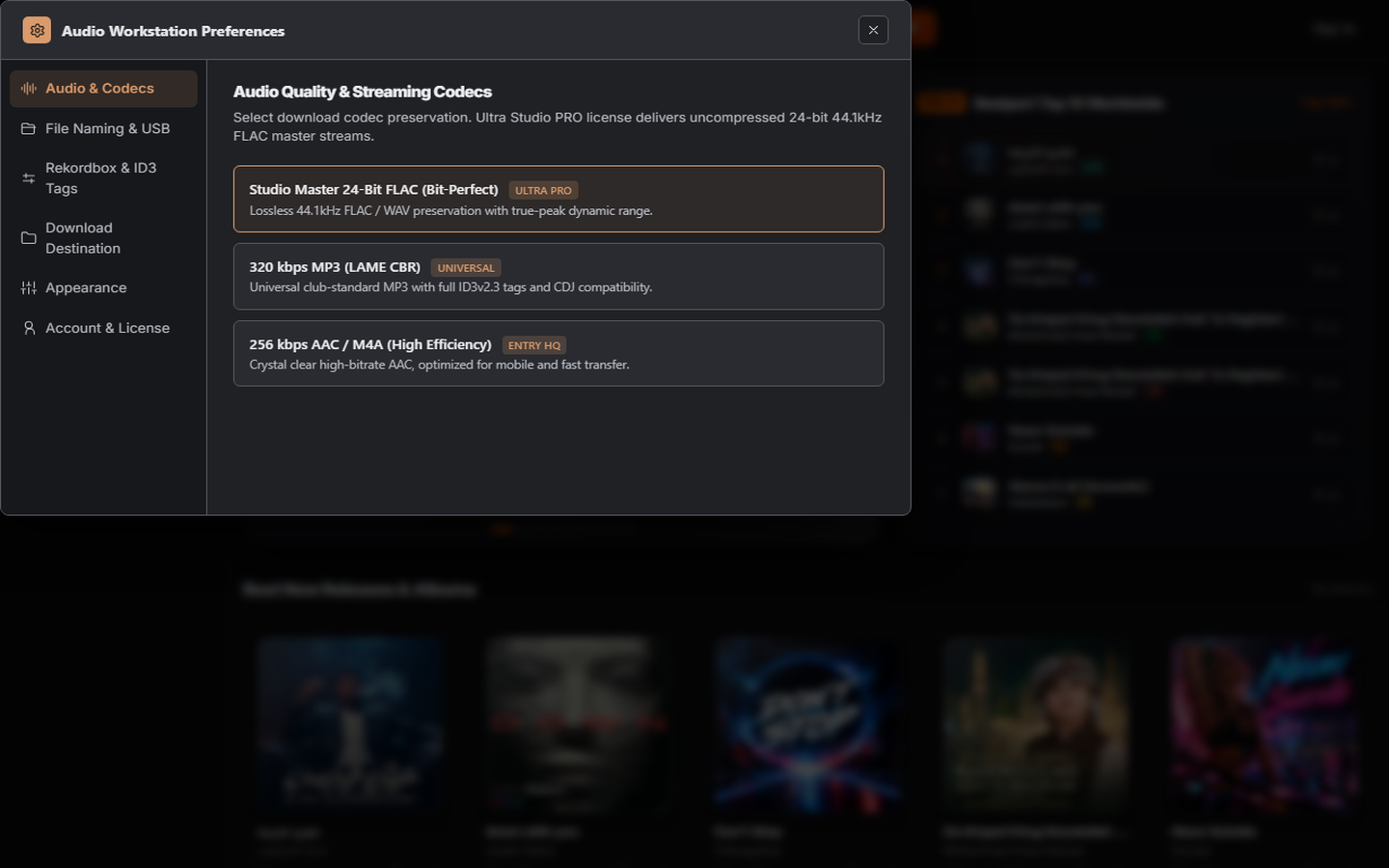
Figure 5: In-app audio preferences: select 24-bit Studio Master FLAC, uncompressed WAV, or 320 kbps MP3 with Camelot key injection.
The Unified DJ Workflow: From Download to CDJ-3000 in 3 Steps
Regardless of whether you use the Web App or the Desktop Workstation, your resulting audio files follow the exact same gold-standard DJ preparation pipeline:
Step 1: Batch Queue & Lossless Resolution
Paste a Beatport chart, Top 100 playlist, or individual track URL. The multi-engine resolver fetches metadata, release artwork, and verifies true 24-bit lossless stream availability without brickwall filtering.
Step 2: Acoustic Analysis & Camelot Key Tagging
During transcode, the engine computes acoustic fingerprints, writes the Camelot wheel key (e.g. 8A) into ID3v2.3 TKEY, decimal BPM into TBPM, and embeds album art (<500 KB) to ensure Pioneer CDJ memory buffer safety.
Step 3: Rekordbox & Pioneer CDJ Sync
Drag your download folder straight into Rekordbox 7 or 6. Because keys and BPM are already embedded, tracks load with beatgrids and harmonic keys pre-analyzed. Export directly via Sync Manager to your performance USB drive.
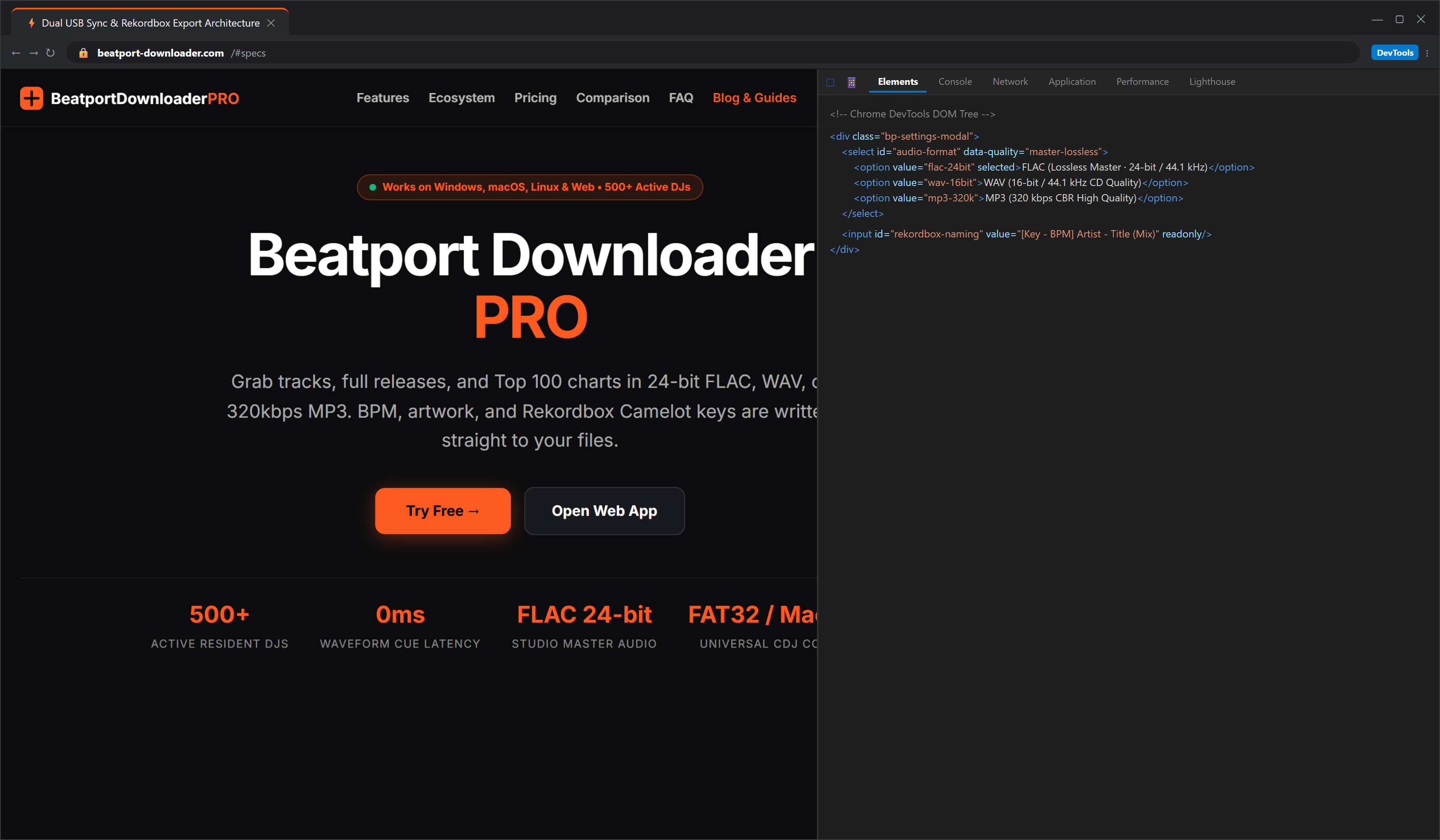
Figure 6: Seamless Rekordbox Device Library Plus export to dual touring USB drives for Pioneer CDJ-3000 setups.
Which One Should You Choose?
Choose the Web App if:
- You want to test the product immediately without downloading an installer.
- You download 1 to 20 tracks at a time.
- You use multiple different computers (studio, office, laptop).
- You are using a shared computer where software installations are prohibited.
Choose the Desktop App if:
- You regularly batch download full playlists, charts, or label discographies.
- You want the lowest possible RAM overhead (~35 MB) while DJ software is running.
- You want 10 parallel background workers and zero browser tab throttling.
- You want your target DJ library folder permanently remembered.
Related Technical Guides & DJ Resources
To further optimize your digital audio library and Pioneer CDJ hardware preparation, explore our specialized engineering deep-dives:
- Extended Mix vs. Radio Edit: The DJ's Technical Guide to Song Structures & Mixing Windows
- How to Format & Prepare USB Drives for Pioneer CDJs: The Touring DJ Field Guide
- Beatport to WAV Downloader: How to Download & Convert 24-Bit Lossless Audio for CDJs
- Harmonic Energy Mixing Guide: Camelot Wheel Modulation for Peak-Time Sets
- How to Fix Pioneer CDJ Error Code E-8302: Lossless FLAC & USB Drive Compatibility Guide